IMPORTANT: This project has been moved to https://github.com/autodesk-platform-services/aps-mcp-server-nodejs.
aps-mcp-server
Experimental Model Context Protocol server build with Node.js, providing access to Autodesk Platform Services API, with fine-grained access control using the new Secure Service Accounts feature.
Development
Prerequisites
- Node.js
- APS app credentials (must be a Server-to-Server application type)
- Provisioned access to ACC or BIM360
Setup
Server
- Clone this repository
- Install dependencies:
yarn install - Build the TypeScript code:
yarn run build - Create a .env file in the root folder of this project, and add your APS credentials:
APS_CLIENT_ID- your APS application client IDAPS_CLIENT_SECRET- your APS application client secret
- Create a new service account:
npx create-service-account <username> <first name> <last name>, for example,npx create-service-account ssa-test-user John Doe- This script will output a bunch of environment variables with information about the new account:
APS_SA_ID- your service account IDAPS_SA_EMAIL- your service account emailAPS_SA_KEY_ID- your service account key IDAPS_SA_PRIVATE_KEY- your service account private key
- This script will output a bunch of environment variables with information about the new account:
- Add these environment variables to your .env file
Autodesk Construction Cloud
- Register your APS application client ID as a custom integration
- Invite the service account email as a new member to your ACC project(s)
Use with Inspector
- Run the Model Context Protocol Inspector:
yarn run inspect - Open http://localhost:5173
- Hit
Connectto start this MCP server and connect to it
Use with Claude Desktop
- Make sure you have Claude Desktop installed
- Create a Claude Desktop config file if you don't have one yet:
- On macOS: ~/Library/Application Support/Claude/claude_desktop_config.json
- On Windows: %APPDATA%\Claude\claude_desktop_config.json
- Add this MCP server to the config, using the absolute path of the build/server.js file on your system, for example:
{
    "mcpServers": {
        "autodesk-platform-services": {
            "command": "node",
            "args": [
                "/absolute/path/to/aps-mcp-server/build/server.js"
            ]
        }
    }
}
- Open Claude Desktop, and try some of the following test prompt:
- What ACC projects do I have access to?
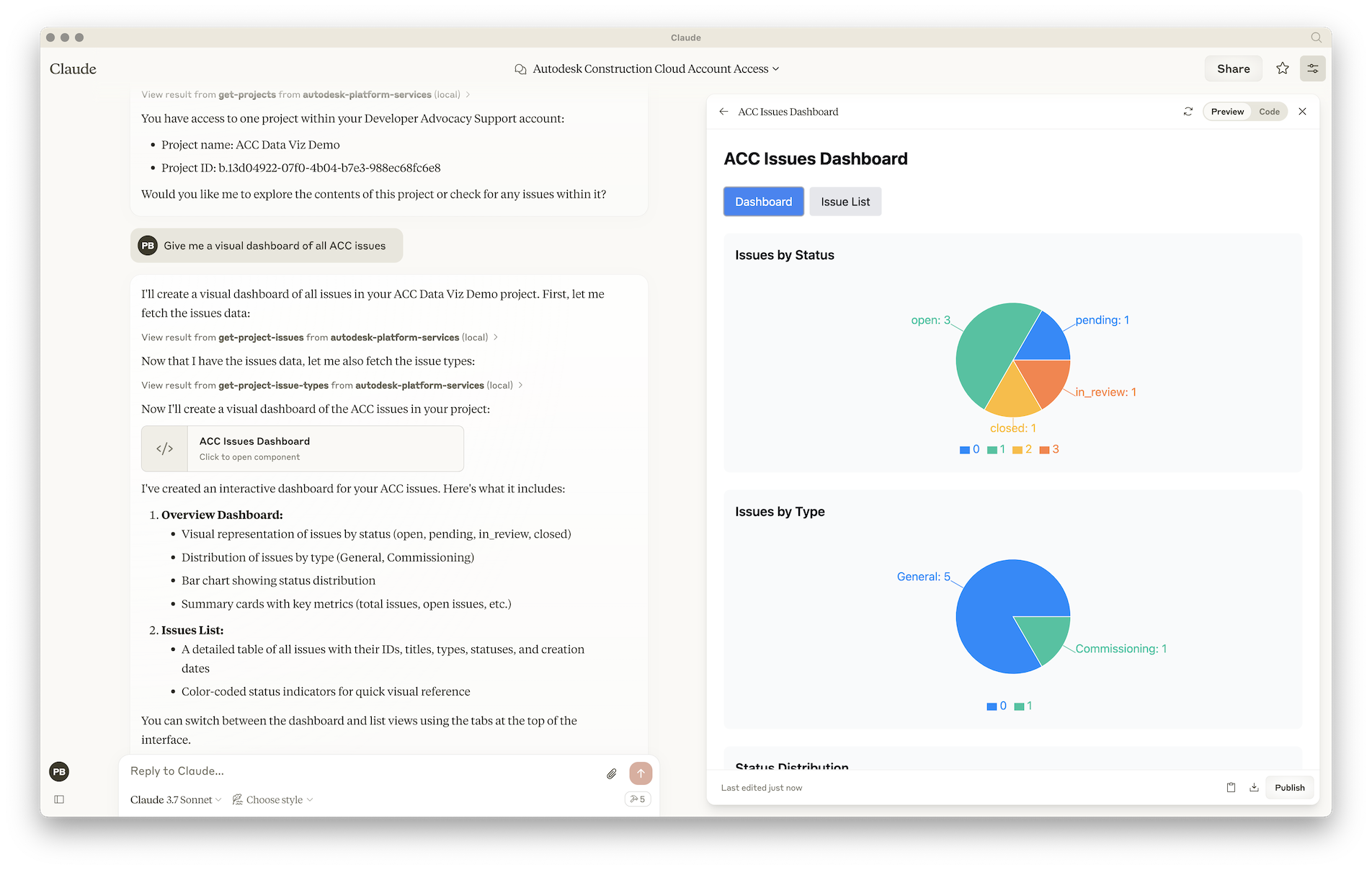
- Give me a visual dashboard of all issues in project XYZ
For more details on how to add MCP servers to Claude Desktop, see the official documentation.
Use with Visual Studio Code & Copilot
- Make sure you have enabled MCP servers in Visual Studio Code
- Create .vscode/mcp.json file in your workspace, and add the following JSON to it:
{
    "servers": {
        "Autodesk Platform Services": {
            "type": "stdio",
            "command": "node",
            "args": [
                "/absolute/path/to/aps-mcp-server/build/server.js"
            ]
        }
    }
}
For more details on how to add MCP servers to Visual Studio Code, see the documentation
Use with Cursor
- Create .cursor/mcp.json file in your workspace, and add the following JSON to it:
{
  "mcpServers": {
    "Autodesk Platform Services": {
      "command": "node",
      "args": [
        "/Users/brozp/Code/Temp/aps-mcp-server-node/build/server.js"
      ]
    }
  }
}
For more details on how to add MCP servers to Cursor, see the documentation